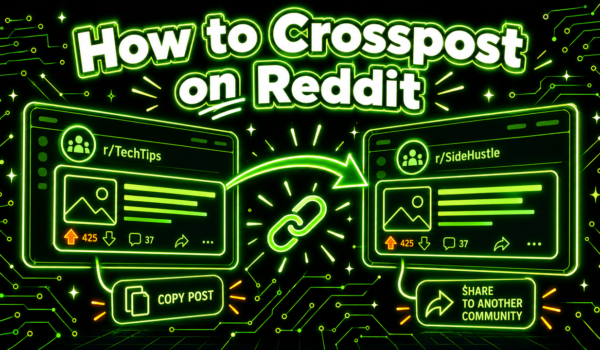
To crosspost on Reddit, open the post you want to share, click or tap Share, choose Crosspost (some versions label it Repost or “Crosspost to community”), pick the community you want to post it in, edit the title if you like, and press Post. The new post embeds the original and links back to it, so the original poster and community keep the credit.
That is how to crosspost on Reddit in one paragraph. This guide walks through the steps on desktop and in the app, explains why the option sometimes disappears, and covers the etiquette that keeps a crosspost from getting removed or downvoted.

What is a crosspost on Reddit?
A crosspost is a post that shares an existing Reddit post into a different community. Instead of uploading the same image or pasting the same text again, Reddit wraps the original inside a new post. Readers see a small “Crossposted by” label, the name of the original community, and a link they can follow to the source thread with its comments.
Crossposts are useful when a post fits more than one community. A photo of a restored bike in r/bicycling might also suit a local city subreddit, or a detailed guide in a software subreddit might help people in a related one. Learning how to crosspost on Reddit lets you share that content while keeping the conversation connected to where it started.
A crosspost differs from a repost. A repost is a fresh upload of content someone already shared, usually without credit. Many communities ban reposts but allow crossposts, because the crosspost credits the source.
How to crosspost on Reddit on desktop
Follow these steps for how to crosspost on Reddit from a web browser on a computer:
- Log in to your Reddit account.
- Open the post you want to share. It can be your own post or someone else’s.
- Click the Share button under the post (the curved arrow icon).
- Choose Crosspost from the menu. If you see Repost instead, choose that.
- Use the “Choose a community” menu to search for and select the subreddit you want to post in. You can also crosspost to your own profile.
- Edit the title so it makes sense for the new community. Add flair, a spoiler tag or an NSFW tag if the community requires it.
- Click Post.
If you use old Reddit, the crosspost link appears directly under each post next to Share, Save and Hide, so you can skip the Share menu.

How to crosspost on Reddit in the mobile app
The app works the same way with slightly different labels. These steps show how to crosspost on Reddit from the iPhone or Android app:
- Open the Reddit app and find the post.
- Tap the Share icon below the post.
- Choose Crosspost, Repost or the Community option at the bottom of the share sheet. The label depends on your app version.
- Pick the community you want to share to.
- Edit the title and add any required flair or tags.
- Tap Post in the top right corner.
If you do not see the option, update the app first, or check Reddit Help for the current menu names. Reddit changes menu labels from time to time, and older versions may show a different layout.
Can you crosspost on the mobile website?
The mobile browser version of Reddit has not always supported crossposting. If the option is missing, use the app or switch your browser to “Request desktop site” and follow the desktop steps.
How to crosspost on Reddit from a comment
You can share a great comment as a new post in many versions of Reddit. Open the comment’s menu (the three dots on the comment itself), choose “Share” and then “Share as post” if your version offers it. Pick a community, edit the title, add context and post. If you do not see the option, copy the comment’s link and create a link post that credits the original author.
How to crosspost on Reddit with images, videos and galleries
Crossposting works for text posts, links, images, galleries and videos. The media stays hosted with the original post, so you do not need to download or re-upload anything, and the quality stays the same. Readers can play a video or swipe through a gallery inside the crosspost.
Two limits apply. First, if the original poster deletes their post or a moderator removes it, the crosspost usually loses its content too, since it points to the source. Second, some communities only allow certain post types. A text-only subreddit may reject an image crosspost even if it accepts crossposts in general. When you plan how to crosspost on Reddit with media, check that the target community accepts that format.
How to crosspost on Reddit to your own profile
Your profile works like a small personal community. When you open the community picker, your username appears at the top of the list. Choose it to share the post to your profile, where followers can see it. People use this to keep a collection of posts they like, to share their own work across subreddits from one place, or to point followers to a discussion they care about.
How moderators control crossposting
If you run a subreddit, you decide whether other people can crosspost from your community and whether crossposts can come in. Moderators can usually find crossposting options in the community’s post settings, and AutoModerator rules can filter crossposts by source or require approval. Communities that want to keep discussion in one place, or that host sensitive topics, often turn crossposting off. If you moderate and wonder how to crosspost on Reddit into your own community without breaking its feel, consider allowing crossposts only from a short list of related subreddits.
For regular users, this explains why the same post might be crosspostable one day and not the next. A moderator may have changed the setting, or the post may have been locked or archived.
Why can’t I crosspost on Reddit?
If the crosspost option is missing or a community will not appear in the picker, one of these is usually the reason:
| What you see | Likely reason | What to do |
|---|---|---|
| No Crosspost option in the Share menu | The original community disabled crossposting, or your app is out of date | Update the app; if it is still missing, share the link instead |
| Target community is greyed out | That community does not accept crossposts | Read its rules and make an original post if allowed |
| Target community missing from search | You are not eligible to post there yet, or it is private or restricted | Join the community and check its posting requirements |
| Crosspost removed after posting | Karma or account age limits, AutoModerator filters, or a rule against crossposts | Check the rules and message the moderators politely |
| Option missing on mobile web | Mobile web support is limited | Use the app or the desktop site |
Many subreddits also set minimum karma or account age for any post, crossposts included. Our guide to Reddit karma explains how those thresholds work.
How to crosspost on Reddit on old Reddit and third-party apps
On old.reddit.com, each post shows a “crosspost” link in the row under the title. Click it, pick the destination community, edit the title and submit. The process is faster than on the new design, though old Reddit does not let you save drafts or preview flair as easily.
Third-party apps vary. Some support crossposting, some hide it in a long-press menu, and some do not offer it at all. If your app has no option, open the post in the official app or a browser. That is usually the quickest fix when you are working out how to crosspost on Reddit from an unfamiliar app.
Whichever version you use, the result looks the same to readers: a post in the new community with a clear link back to the original thread. So pick the version you are most comfortable with and use it each time you crosspost on Reddit.
Crossposting etiquette: how to crosspost on Reddit without annoying people
Knowing the buttons is the easy part. The harder part is crossposting in a way communities welcome. Follow these rules of thumb.
Read each community’s rules first
Every subreddit sets its own rules. Some ban crossposts outright, some only allow them on certain days, and some require a specific flair. Check the sidebar and pinned posts before you share. Our guide to subreddit rules shows where to find them.
Make sure the post fits
A crosspost should match what the new community is about. If you have to explain why it belongs, it probably does not.
Write a title for the new audience
The original title was written for the original community. Rewrite it so the new readers understand why it matters to them. A short note in the title such as “from r/woodworking” helps.
Do not spray the same post everywhere
Crossposting one post to a dozen subreddits at once looks like spam to readers and to Reddit’s filters. Pick the two or three communities where it fits best, and space them out. Reddit’s spam filters can flag accounts that share the same content to many communities in a short window.
Be careful with your own content
Crossposting your own blog, product or video repeatedly counts as self-promotion in most communities. Keep it rare and make sure you contribute in other ways too. Our breakdown of Reddit self-promotion rules covers where the line usually sits.
Credit and engage
The crosspost already credits the original, but a quick comment such as “Saw this in r/X and thought you would like it” adds context. If people reply, answer them. A crosspost with an active poster feels like part of the conversation.

Crosspost vs new post: which should you use?
Sometimes a fresh post works better than a crosspost. Use this as a quick guide:
- Crosspost when the original thread has a good discussion you want the new community to see, when you want to credit someone else’s content, or when the original community and the new one are closely related.
- Create a new post when the new community needs different context, when it bans crossposts, or when you want the discussion to start fresh around a different question.
- Share a link in a comment when someone in another thread asks a question the original post answers. That is often more helpful than a crosspost.
Comments and posts both have their place. Our guide on Reddit posts vs comments explains when each works best for reaching people.
Do crossposts get upvotes and karma?
Yes. A crosspost is its own post, so upvotes on it count toward your post karma. Upvotes on the original still go to the original poster. Comments on the crosspost stay in the crosspost thread, though readers can click through to the original discussion.
Crossposts often get fewer votes than original posts because some readers already saw the content. They do best when the new community is different enough that most members have not seen it.
Tips for better results when you crosspost on Reddit
- Post at a good time for the new community. Activity peaks vary by subreddit and time zone. See our guide on the best time to post on Reddit.
- Pick communities of different sizes. A mid-sized, active subreddit often gives a crosspost more attention than a huge one where it gets buried.
- Use the right flair. Many communities hide or remove posts without flair.
- Check the original thread first. If it has rude or off-topic comments at the top, a crosspost sends new readers there.
- Watch your crosspost for the first hour. Early replies from you help the thread gain traction.
How to crosspost on Reddit for brands and creators
Businesses and creators sometimes ask how to crosspost on Reddit as a way to get more reach for one piece of content. Used carefully, crossposting helps. A brand that shares a useful guide in its own subreddit can crosspost it to one closely related community where readers would value it. A creator can crosspost a post from their profile to a community that welcomes that kind of work.
Used carelessly, it backfires. Reddit users and moderators watch for accounts that only share their own links, and a few removals can lead to a ban across several communities. A safer approach: spend most of your time answering questions and joining discussions, and save crossposts for the times when your content fits. Our guide on how to post on Reddit covers posting basics that apply to crossposts too.

Common mistakes when learning how to crosspost on Reddit
- Crossposting to communities you have never visited.
- Keeping a title that only makes sense in the original subreddit.
- Crossposting the same thing to many communities in a short window.
- Ignoring flair and tagging rules.
- Crossposting content the original community marked as sensitive into a general audience community.
- Arguing with moderators after a removal instead of asking politely what to change.
A quick checklist before you crosspost
Run through this list each time you decide how to crosspost on Reddit to a new community:
- Does the target community allow crossposts and this post type?
- Have you read its rules and pinned posts in the last few weeks?
- Would most members find the post useful or interesting?
- Have you rewritten the title for the new audience?
- Have you added any required flair or tags?
- Have you shared this same post anywhere else today? If so, wait.
- Are you ready to reply to comments for the next hour?
If you can answer yes to all seven, post it.
How to crosspost on Reddit FAQ
How do I crosspost on Reddit?
Open the post, choose Share, then Crosspost (or Repost), select a community, adjust the title and press Post. The steps are almost the same on desktop and in the app.
Why is crossposting not showing up on Reddit?
The original subreddit may have disabled it, your app may need an update, or you may be on the mobile website. Some target communities also block crossposts, which makes them appear greyed out.
Can I crosspost someone else’s post?
Yes. You can crosspost any post you can see, as long as the original community allows it and the new community accepts crossposts. The original poster keeps credit.
Can I crosspost to multiple subreddits at once?
No. Reddit asks you to pick one community per crosspost. Repeat the steps for each community, and space them out to avoid spam filters.
Does crossposting count as self-promotion?
Crossposting your own content often does, depending on the community. Many subreddits limit how much of your own work you can share, so check the rules.
Can I crosspost a crosspost?
It is better to crosspost the original. Some versions of Reddit only allow crossposting original posts, and sharing the source keeps the link to the original discussion clear.
How to crosspost on Reddit without losing the original comments?
You cannot move comments, but every crosspost links back to the original thread, so readers can open it and see the full discussion.
Can I crosspost to my own profile?
Yes. Choose your profile in the community picker to share the post there, which is a good way to save and share content with your followers.
Want to see where your customers are already asking? Get a free Reddit Opportunity Report showing which Reddit threads already rank for your keywords.