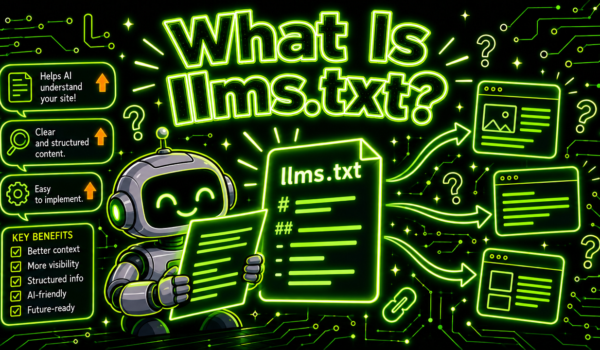
What is llms.txt? It is a plain Markdown file placed at the root of a website (yoursite.com/llms.txt) that gives AI tools a short summary of the site and a curated list of its most useful pages. It was proposed in 2024 as a guide for large language models. It does not block or allow crawling, and the major AI providers have not confirmed that their search features use it, so treat it as a low-cost extra on top of normal SEO.
That is the short answer to “what is llms.txt”. The longer answer matters more, because the file has been described as everything from “robots.txt for AI” to a waste of time. This guide explains what goes in the file, how it differs from robots.txt and a sitemap, who reads it today, which sites should bother, and how to make one in five steps. A copyable template is near the end.

What is llms.txt?
llms.txt is a proposed web standard. Jeremy Howard of Answer.AI published the proposal in September 2024 at llmstxt.org. The idea is that a website keeps one small file, written in Markdown, that tells a language model what the site is and where the best material lives.
The reason for it is practical. A web page built for people carries menus, cookie banners, scripts, ads and footers. A language model working inside a limited context window has to wade through all of that to reach the few paragraphs that matter. A clean Markdown file with a summary and a list of links lets the model skip the clutter and go straight to the right pages.
So when someone asks “what is llms.txt”, the most accurate one-line answer is: a reading guide for AI, written by the site owner. It points. It does not permit, block or rank anything.
The proposal also suggests a second habit: offering a clean Markdown copy of important pages at the same address with .md added to the end. A documentation page at /docs/setup.html would have a twin at /docs/setup.html.md. That part is optional, and fewer sites do it.
What does an llms.txt file contain?
The spec keeps the structure short and fixed so that a program can parse it without guessing. In order, the file contains:
- An H1 with the name of the site or project. This is the only required part.
- A blockquote with a short summary: what the site is and who it is for.
- Optional paragraphs or lists with any detail a model needs to read the links correctly, such as product names or terms you use in a particular way.
- One or more H2 sections, each holding a list of links. Each link is written as a Markdown link, optionally followed by a colon and a one-line note.
- An optional section titled “Optional” for links a model can skip when it is short on space.
A short example for an imaginary bakery supply shop shows how little is involved:
# North Mill Bakery Supply

> Wholesale flour, yeast and baking equipment for independent bakeries in New England. Orders ship from Lowell, MA.

We sell to businesses only. Prices on product pages are per case.

## Products
- [Flour range](https://example.com/flour/): bread, pastry and rye flours with protein content
- [Commercial mixers](https://example.com/mixers/): spiral and planetary mixers, sizes and power needs

## Help
- [Delivery areas and times](https://example.com/delivery/): which towns, which days
- [Wholesale account setup](https://example.com/accounts/): what we need to open an account

## Optional
- [Company history](https://example.com/about/)
That is a complete, valid file. Most of the value sits in the one-line notes, because they tell a model which page answers which question.
llms.txt vs robots.txt vs sitemap.xml
People often mix these three up because all of them sit at the root of a site and all of them talk to machines. They do different jobs.
| File | Purpose | Who reads it | Format | Controls access? |
|---|---|---|---|---|
| robots.txt | Tells crawlers which paths they may and may not fetch | Search and AI crawlers that follow the Robots Exclusion Protocol | Plain text directives | Yes, for crawlers that obey it |
| sitemap.xml | Lists every URL you want indexed, with update dates | Search engines | XML | No |
| llms.txt | Summarises the site and points to the best pages for a language model | Some AI tools and coding assistants, when they choose to fetch it | Markdown | No |
The difference that trips people up: robots.txt is a set of rules, and llms.txt is a set of suggestions. If you want to stop an AI company from crawling your site, this file will not do it. That job belongs to robots.txt and, for some bots, to your CDN or firewall settings.
A sitemap and this file also differ in size. A sitemap aims to list everything. The AI guide works best when it lists only the pages that answer the most questions, usually somewhere between ten and thirty.
Do ChatGPT, Claude and Google actually use llms.txt?
This is the part most guides skip, and it is the part that should decide how much time you spend on the file.
At the time of writing, none of the large AI providers has said that its crawler or search feature reads llms.txt when deciding what to cite. OpenAI documents its crawlers and how they treat robots.txt on its crawler overview page, and the file does not appear there. Google’s guidance on AI features and your website says that no special files or markup are needed to appear in AI Overviews or AI Mode beyond normal SEO practice. Anthropic’s page on how its crawlers work talks about robots.txt and does not mention the file.
Check those pages yourself before you decide, because providers update them. Write down the date you checked.
Where the file does get used is closer to the developer world. Several documentation platforms generate the file automatically, and some AI companies publish one for their own developer docs. Coding assistants and agents can be told to fetch a project’s guide file to load its documentation quickly. In that setting the file earns its keep: a developer pastes one URL and the assistant gets a clean map of the docs.
So the honest answer to “what is llms.txt good for” depends on who is reading. For a person using an AI coding tool, it can save real time. For ranking or citations in ChatGPT, Claude, Perplexity or Google, there is no public evidence yet that it changes anything.

Is llms.txt a ranking factor?
No. Google has not listed it as a signal, and no AI provider has said it affects which sources get cited. If an agency tells you the file will lift your AI visibility, ask them for the provider documentation that says so.
That does not make it useless. Writing the file forces you to decide which pages matter most and to describe each one in a line. That exercise often exposes gaps: a key question with no page, or three pages that say the same thing. Fixing those gaps helps in every kind of search.
Which websites should add an llms.txt file?
Some sites have a clear reason to add one. Others can leave it for later without losing anything.
Good fit:
- Software companies with public documentation, API references or SDK guides.
- Developer tools, where users already work inside AI coding assistants.
- Large knowledge bases and help centres, where finding the right article is the hard part.
- Open source projects that want AI tools to describe them accurately.
Low priority:
- Small brochure sites with a handful of pages. A model can read the whole site faster than you can write the file.
- Local service businesses, where reviews, your Google Business Profile and consistent listings matter far more.
- Ecommerce stores with thousands of products that change every week. Keeping the file accurate would take more work than it returns.
If you fall in the low-priority group and the file takes ten minutes, there is little harm in adding it. Do not put it ahead of the work that does move AI visibility, covered further down.
Where do you put an llms.txt file?
The spec says the file lives at the root path: yoursite.com/llms.txt. It can also sit in a subpath, which is handy for documentation that lives in its own folder.
We ran into a practical wrinkle on our own site. The LaunchClub blog runs as a WordPress install inside the /blog/ folder, so the llms.txt generator in our SEO plugin, Rank Math, would serve the file at launchclub.ai/blog/llms.txt, not at the domain root. That is fine for a model pointed at the blog, but a tool looking at launchclub.ai/llms.txt would not find it. If your site is split across several apps, decide which address you want AI tools to see and put the file there, or link to the subfolder file from the root one.
How to create an llms.txt file in 5 steps
Once you know what the file is meant to do, building one takes an hour or less for most sites.
1. Pick the pages that answer the most questions
Open your analytics and your support inbox. List the pages people land on most, and the questions customers ask most. Keep the ten to thirty pages that answer those questions. Product pages, pricing pages if you publish prices, setup guides, comparison pages and policy pages usually make the cut. Blog posts only belong if they answer a recurring question better than anything else on the site.
2. Write the summary block
Write the H1 with your site or company name. Under it, write a blockquote of one or two sentences: what you do, who for, and where. Then add any short notes a model needs, such as “we sell to businesses only” or “Pro and Team are plan names, not product names”. Plain facts beat marketing copy here. A model cannot use “we are passionate about quality”.
3. Group links under H2s with one-line notes
Sort the pages into a few sections: Products, Docs, Help, Policies, or whatever fits your site. Write each link in Markdown and add a colon and a note that says what question the page answers. “Delivery areas and times: which towns, which days” tells a model far more than “Delivery”.
4. Publish the file and check it loads as plain text
Upload the file to your root folder, or switch on the option in your SEO plugin if it has one. Open the URL in a browser. You should see raw Markdown, not a styled page and not a 404. Check that your CDN is not caching an old version and that the file is not blocked by robots.txt.
5. Keep it updated
Add a reminder to review the file whenever you launch, rename or retire a key page. A stale file that points at deleted pages is worse than none, because it tells a tool your site is out of date.
Free llms.txt template
Copy this, replace the brackets, and delete any section you do not need.
# [Company or site name]

> [One or two sentences: what you do, who it is for, where you operate.]

[Optional notes: terms you use in a specific way, who you do not serve, anything a reader could get wrong.]

## [Products or services]
- [Page title](https://yoursite.com/page/): [the question this page answers]
- [Page title](https://yoursite.com/page/): [the question this page answers]

## [Docs or how-to guides]
- [Page title](https://yoursite.com/page/): [the question this page answers]

## [Help and policies]
- [Page title](https://yoursite.com/page/): [the question this page answers]

## Optional
- [Page title](https://yoursite.com/page/)
Keep every note to one line. If you need a paragraph to explain a page, the page itself probably needs a clearer opening.
What is llms-full.txt?
llms-full.txt is a companion file some sites publish next to llms.txt. Instead of links, it holds the full text of the important pages in one long Markdown file. A developer can hand the whole thing to an AI assistant in one go.
It suits documentation sites, where the full text might be a few hundred kilobytes. It does not suit a marketing site or a store, where the file would be huge, would go stale fast and would duplicate content that already lives on your pages. If you are asking “what is llms.txt versus llms-full.txt”, think of the first as a table of contents and the second as the whole book.
What is llms.txt not going to fix?
The file cannot make a weak page strong, unblock a crawler you blocked by accident, or create mentions of your business on other sites. Those three things decide most AI visibility, and the file touches none of them.
- Crawler access. If robots.txt or your CDN blocks OAI-SearchBot, Claude’s crawlers or PerplexityBot, those tools cannot read your pages when they search, whatever your guide file says.
- Page quality. AI tools quote pages that answer a question in their first lines with clear, sourced facts. Our guide to AI search optimization walks through how to write those pages.
- Off-site reputation. When someone asks an AI tool which company to use, the answer leans on reviews, comparisons and discussions on other sites.
What to do first if you want AI visibility
If the reason you searched “what is llms.txt” is that you want your business to show up in AI answers, the file is one of the smaller pieces. The larger pieces, roughly in order:
- Make sure AI search crawlers can reach your pages. Our LLM SEO guide covers robots.txt, CDN settings and rendering.
- Rewrite your key pages so each one answers its main question in the first two or three sentences.
- Keep your business facts consistent across your site, your profiles and directories.
- Earn accurate mentions in the places AI tools read when people ask for recommendations.
That last point is where Reddit comes in. When people ask ChatGPT, Perplexity or Google’s AI features for the best tool or supplier in a category, the answer often draws on forum threads where real customers compared options. A brand that is discussed accurately in those threads has a better chance of being named. A brand that is absent, or described wrongly, has a harder time, and no file on your own server changes that. We cover how this works in Does ChatGPT use Reddit? and how to take part without getting banned in Reddit SEO.

How to tell whether your llms.txt file is being used
You can check two things without special tools.
First, look at your server or CDN logs for requests to /llms.txt. The user agent string tells you which tool asked for it. If nothing has requested the file in a month, that tells you how much weight it carries for your audience today.
Second, track the result you care about. Pick a fixed set of questions your customers ask, run them through ChatGPT, Claude, Perplexity and Google every month, and record whether you are named and which pages are cited. Our AI visibility audit explains how to set that up. If your citations improve after you publish the file and change nothing else, you have a signal. In practice most sites change several things at once, so treat any single cause with caution.
Frequently asked questions
What is llms.txt and how do I use it?
llms.txt is a Markdown file at the root of your site that summarises what you do and lists your most useful pages with one-line notes. To use it, write the file with the structure in the spec, publish it at yoursite.com/llms.txt, and keep it updated when key pages change.
Is llms.txt a ranking factor?
No. Google and the major AI providers have not said they use it to rank pages or choose citations. Its value today is mostly for developer tools and AI coding assistants that fetch it on request.
Does Google use llms.txt?
Google’s published guidance says AI Overviews and AI Mode need no special files beyond standard SEO, and it does not mention llms.txt. Check the guidance page for any change before you rely on this.
What is the difference between llms.txt and robots.txt?
robots.txt sets rules about what crawlers may fetch. llms.txt offers a summary and a reading list. If you want to block or allow a bot, use robots.txt; llms.txt has no effect on access.
Where do I put an llms.txt file?
At the root of your domain, so it loads at yoursite.com/llms.txt. Documentation in its own folder can have its own file in that folder as well.
What is llms-full.txt?
A companion file holding the full text of your important pages in one Markdown document. It is mainly useful for documentation sites that want AI coding assistants to load all their docs at once.
Can an llms.txt file hurt my site?
Not by itself. The risks are small: a stale file that points at deleted pages, or a file that describes your business differently from your own pages. Keep it short and accurate and there is little downside.
Want to see where your customers are already asking? Get a free Reddit Opportunity Report showing which Reddit threads already rank for your keywords.