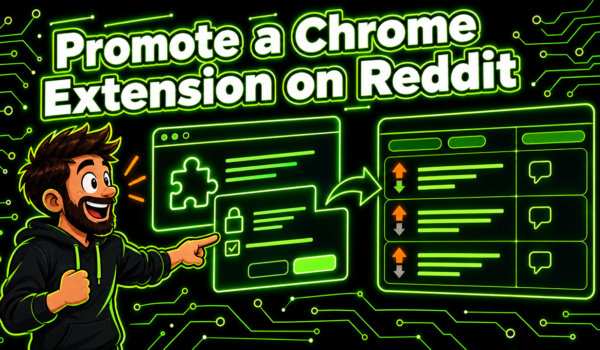
To promote a Chrome extension on Reddit, answer the permission question before anyone asks it. Quote the warning Chrome shows when your current build is installed. Next to it, name the one feature that needs that access, say whether any page content leaves the device, and say what still works if the user declines. Post that with a short demo recorded on a clean browser profile, and say you built the extension.
This guide follows one example, a small extension that turns the article you are reading into a clean printable page. The extension, its manifest and the reply are illustrations. The permission rules come from Chrome’s developer documentation.
The question behind the hesitation
A reader likes the demo, clicks through to the store and stops at the install dialog. Then they come back to the thread:
“Why does this extension need access to the pages I visit?”
They are asking three things: what the extension can read, where that data goes, and whether they can say no. A reply that says “it’s safe, we don’t collect anything” answers none of them in a way the reader can check. Reddit opportunities for Developer tools tend to turn on this point. Technical readers will verify a claim if you give them the means, and they say so in the thread when they can’t.
Step 1: Start with the warning a user sees
Install your current build in a new Chrome profile and copy the warning text from the install dialog word for word. Do not paraphrase it, and do not reuse wording from an older version. If your extension asks for more access at runtime, trigger that prompt and copy it too.
Then find what causes each warning. Chrome’s guide to declaring permissions lists the manifest keys involved:
| Manifest key | What it does | When the user is asked |
|---|---|---|
permissions |
Named permissions from Chrome’s permissions reference | At install. Changes may trigger a warning. |
host_permissions |
Match patterns that give access to specific hosts | At install. Adding or changing a pattern triggers a warning. |
content_scripts.matches |
Match patterns for the pages a content script runs on | At install. Adding or changing a pattern triggers a warning. |
optional_permissions |
Named permissions the user grants later | At runtime, when the feature needs it |
optional_host_permissions |
Host patterns the user grants later | At runtime, when the feature needs it |
The same guide recommends optional permissions wherever the extension’s functionality allows, and notes that users are more likely to trust an extension with fewer warnings or one whose permissions are explained to them.
Step 2: Trace each permission to a feature and a data flow
Build one table and put it in your post, your store listing and your privacy statement. The three should match. Here is the table for the example extension.
| What Chrome shows | Feature that needs it | What the user can verify |
|---|---|---|
| A request to read and change data on the current site, shown the first time you click “Clean page” there | Reading the article text so the extension can rebuild it without sidebars and ads | The request appears only after a click. Processing happens in the browser. The network tab in developer tools shows no request from the extension while it runs. |
| No warning | Saving your font and margin settings | Settings are stored in the browser. Removing the extension removes them. |
| Nothing requested | Access to all sites at install | The manifest has no broad host pattern. Anyone can open the installed manifest file and check. |
If your honest table has a row that says “page content is sent to our server”, write that row. Say what is sent, why, and how long you keep it. A reader who finds it on their own may post about it.
Two rules from the Chrome Web Store permissions policy are worth checking your manifest against before you post. The policy asks developers to request the narrowest permissions necessary for the product’s features. It also tells them not to request permissions for features they have not built yet. If a row in your table has no feature beside it, remove the permission and ship that update first.
Say what happens when someone declines
| User choice | What still works | What does not |
|---|---|---|
| Declines the site request | Settings page, keyboard shortcut setup | Cleaning that page |
| Grants it on one site only | Cleaning pages on that site | Other sites, until asked again |
| Removes access later in Chrome’s extension settings | Everything that worked before the grant | Cleaning pages on that site |
Test each row yourself in a clean profile. If declining breaks the extension in a way the table does not predict, fix the extension or the table.
Step 3: Demonstrate the limited-access path in a reply
Record a short clip from a new Chrome profile: install, the first click, the permission request, the result, and then the extension settings page showing the single site that was granted. Take a screenshot before consent and one after.
Here is an illustrative reply to the question above, for a community that allows developers to answer.
I’m the developer. Fair question. At install it asks for nothing. The first time you click “Clean page” on a site, Chrome asks whether the extension can read and change that one site, because it has to read the article text to rebuild it. That happens in your browser. Nothing is sent anywhere, and you can confirm that by watching the network tab while it runs. If you decline, the settings page still works but that page won’t be cleaned. You can also revoke a site any time from Chrome’s extension settings. The same table is in the store listing under privacy. Happy to link it if that’s allowed here.
The reply names the connection, quotes when the prompt appears, gives the reader a check they can run and says what breaking looks like. It asks before linking.
Where to share the extension
Look for two kinds of thread. The first is a community about the task: people asking how to print articles cleanly, in this example. The second is a showcase community for extensions or small tools, where the rules say how to present your own work. Our guide on how to find subreddits where your customers talk covers the search. Read each community’s rules on self-promotion and links before posting.
Before you write the post, read how people describe the problem and the workarounds they use now. The Reddit market research guide shows how to collect those threads. If several people say they stopped using a competing extension over its permissions, lead your post with your permission table.
How to tell whether it worked
Ask someone who has never seen the extension to read your post and answer three questions without your help:
- Does the extension read the page?
- Does it send page content anywhere?
- What works if I decline the request?
If they get all three right, the post is ready. After posting, track how many permission questions appear in the thread and how many are answered by pointing to the table. Compare store listing visits with installs for the week. A wide gap after a clear demo suggests the install dialog is still the sticking point.
Frequently asked questions
My extension needs access to every site. What then?
Say so first, and say why the feature cannot work with less. Then check whether part of the access could be optional and requested when the feature is used. If it can, make that change before promoting the extension.
Should I link my privacy policy in the Reddit post?
Where links are allowed, yes, and point to the section that matches your permission table. Where they are not, paste the table as text.
What if a commenter says the permissions are too broad?
Check whether they are right. If they are, thank them, narrow the manifest and post a dated update in the thread when the new version is live.
Next step
Install your current build in a clean profile, copy the warning text and fill in the three-column table. Once the extension has users, read Can a brand suggest its product for a subreddit buying guide?
To find discussions about the task your extension handles, enter its website in the free Reddit Opportunity Report and read which workarounds people use today.