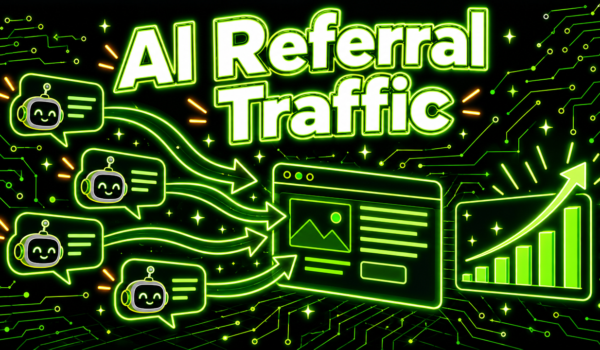
AI referral traffic is the set of visits that reach your website when someone clicks a link inside an AI assistant’s answer, such as a source link in ChatGPT, Perplexity, Gemini, Copilot or Claude. It is still a small share of total traffic for most sites, but it is growing, and the visitors it sends often arrive with a specific question already answered. The trouble is that most analytics setups lump AI referral traffic in with generic referrals, or miss part of it entirely.
This guide explains where AI referral traffic comes from, how to track it in Google Analytics 4 in seven steps, how to read the numbers, and what you can do to earn more of it.

Where AI referral traffic comes from
AI assistants that search the web show their sources. When a user clicks one of those links, the visit usually carries a referrer that identifies the assistant. The most common sources you will see in analytics are:
- chatgpt.com, and sometimes chat.openai.com from older links, for ChatGPT.
- perplexity.ai for Perplexity.
- gemini.google.com for Google’s Gemini app.
- copilot.microsoft.com for Microsoft Copilot.
- claude.ai for Claude.
ChatGPT also adds a tracking parameter, utm_source=chatgpt.com, to many of the links it shows. That makes ChatGPT visits easier to spot, because the source survives even when the browser does not pass a referrer.
Google AI Overviews and AI Mode are a special case. Clicks from those features arrive from google.com and are reported as Google organic search, so you cannot separate them from regular search clicks in GA4. If you want to understand that side, read our guide on how to appear in Google AI Overviews.
Why AI referral traffic is hard to see by default
GA4’s default channel grouping has no AI channel. Visits from chatgpt.com or perplexity.ai land in the Referral channel next to every blog and directory that links to you, so they are easy to overlook. Some AI referral traffic also shows up as Direct, for example when a user copies a link out of an app instead of clicking it, or when an app opens links without passing a referrer.
The result is that most teams undercount AI referral traffic unless they set up tracking on purpose. The seven steps below fix the part you can measure.
7 steps to track AI referral traffic in GA4
1. Check what is already arriving
In GA4, open Reports, then Acquisition, then Traffic acquisition. Change the primary dimension to Session source and search for chatgpt, perplexity, gemini, copilot and claude. This shows you which assistants already send visits and roughly how many.
2. Create a custom channel group
Go to Admin, then Data display, then Channel groups, and create a new channel group. GA4 lets you copy the default group so you keep every existing channel. Google documents the feature in its help article on custom channel groups.
3. Add an AI channel with a source regex
Add a new channel called something like “AI assistants” with the condition Session source matches regex, using a pattern such as:
.*(chatgpt|openai|perplexity|gemini\.google|copilot\.microsoft|claude\.ai).*
Add new sources to the pattern as other assistants start sending traffic. Keep the list short and specific so ordinary referrals do not get caught by mistake.
4. Move the AI channel above Referral
GA4 evaluates channels in order and assigns each session to the first channel whose rules match. If Referral sits above your AI channel, AI referral traffic will keep landing in Referral. Drag the new channel above Referral and save.
5. Build an exploration for landing pages
Create a free-form exploration with your custom channel group as a dimension, filtered to the AI channel, and add Landing page as a row. This shows which pages AI assistants send people to. Those pages tell you what the assistants consider your most useful content.
6. Add conversions to the view
Add key events such as sign-ups, demo requests or purchases to the exploration. AI referral traffic is often small in volume but strong in intent, because the visitor already asked a detailed question and chose to click your source. Compare conversion rates against organic search and paid channels.
7. Report it monthly
Add AI referral traffic to your regular reporting. Track sessions, engaged sessions, conversions and top landing pages by assistant each month. Trends over several months tell you far more than any single week.
How to read AI referral traffic numbers

Clicks are only the visible tip of AI visibility. Many people read an AI answer that mentions your brand and never click. They might search your name later, visit directly, or simply remember you when they buy. So treat AI referral traffic as a lower bound on AI influence, not the whole picture.
A few patterns help when you read the data:
- Rising branded search alongside rising AI referral traffic suggests AI answers are introducing you to new people.
- High engagement and conversion rates from AI visits suggest the assistants send you qualified visitors for the right questions.
- Traffic concentrated on one or two pages suggests a few pages carry your AI visibility, which is a risk and an opportunity.
- Spikes that fade quickly often come from a single popular answer that later changed its sources.
Pair your analytics with direct checks of what assistants say. Ask the questions your buyers ask and note whether your brand is mentioned and cited. Our guide to AI share of voice explains how to track that systematically, and our AI visibility audit guide gives you a starting checklist.
How to grow AI referral traffic
Earn citations on the pages AI assistants read
Assistants cite pages that answer questions clearly and that other sources reference. Write pages that answer one question directly near the top, back claims with specifics, and keep facts current. Our guide to ChatGPT citations covers what tends to get cited.
Show up in the sources assistants trust

AI answers draw heavily on third-party sources such as review sites, industry publications and community discussions, including Reddit threads. When those sources mention your brand, assistants are more likely to recommend you, and some of that recommendation turns into AI referral traffic to your site. Getting mentioned in the threads your buyers read is one of the most direct ways to influence what assistants say.
Make your pages easy to crawl and quote
Assistants can only cite pages their crawlers can reach. Check that your robots.txt does not block the crawlers you want, such as OpenAI’s search crawler and Perplexity’s crawler, and that key content loads without heavy scripts. Our guide to GPTBot explains the crawler side for OpenAI.
Optimize for each assistant
Each assistant uses different search partners and ranking signals. Perplexity cites many sources per answer, ChatGPT relies on its own search system, and Gemini draws on Google’s index. Our guides on how to rank on Perplexity and how to rank in ChatGPT go deeper on each one.
What each assistant tends to send
Each assistant shows sources in its own way, which affects how many clicks you can expect from it.
ChatGPT
When ChatGPT searches the web, it shows inline citations and a list of sources with each answer. Many people use ChatGPT, so even a modest click rate on those sources can add up to meaningful visits. Because ChatGPT tags many outbound links with a utm_source value, its traffic is usually the easiest to identify in analytics.
Perplexity
Perplexity is built around sources. Answers list numbered citations prominently, and users who choose Perplexity often want to check where information came from. For its size, it can send a noticeable share of clicks to the pages it cites.
Gemini and Copilot
Gemini and Copilot both show source links for many answers. Gemini draws on Google’s index and Copilot on Bing’s, so pages that already perform well in those search engines have a head start. Clicks from the standalone Gemini app and from Copilot arrive with their own referrers, unlike clicks from AI features inside Google Search.
Claude
Claude can search the web and cite sources in its answers. Visits from links clicked in the Claude app typically arrive with claude.ai as the referrer.
Tracking outside Google Analytics
If you use another analytics tool, the approach is the same: filter or group sessions by referrer domain. Privacy-focused tools such as Plausible, Fathom and Matomo show referrers by default, so you can usually see assistant domains in the sources report right away and save a filter or segment for them. Enterprise tools such as Adobe Analytics let you build a marketing channel rule with the same list of domains.
Server logs give a second view. They show the visits that arrive with an assistant referrer, and they also show AI crawlers fetching your pages. Crawler activity is not traffic, but it tells you which pages assistants are reading, which often predicts which pages will be cited later.
Mistakes that hide AI referral traffic
- Leaving the AI channel below Referral in GA4, so sessions never reach it.
- Writing a regex that is too broad, for example one that matches any source containing “ai”, which pulls in unrelated sites.
- Forgetting to update the pattern when a new assistant starts sending visits.
- Stripping UTM parameters on redirect, which removes the ChatGPT tag before analytics records it.
- Comparing a single week against another single week, when daily volumes are small and noisy.
A quick monthly check of the raw source list catches most of these problems. Look for assistant domains that ended up outside your AI channel and adjust the rules.
Turning the data into a content plan
The landing pages report is the most useful output of all this work. It shows which pages assistants already trust enough to cite. Use it in three ways.
- Protect the winners. Keep the cited pages accurate and up to date, and avoid changing their URLs. A page that loses its facts or its address can drop out of answers.
- Learn the pattern. Compare cited pages with pages that never get AI clicks. Cited pages often answer one question directly near the top, include specific numbers or steps, and cover the topic in more depth.
- Fill the gaps. List the questions your buyers ask that no page of yours answers well, then write those pages using the same pattern.
Over time, this loop turns AI referral traffic from a curiosity into a planning input. You learn which topics assistants associate with your brand and where you still need stronger pages or stronger third-party mentions.
How AI referral traffic fits your wider reporting
Treat assistant clicks as one part of a broader picture of AI visibility. Alongside sessions and conversions, track how often your brand is mentioned when you ask assistants your buyers’ questions, which sources they cite, and how branded search moves over the same period. Together those numbers show whether AI tools are introducing your brand to new people, even when most of them never click. Share the trend with leadership quarterly, since monthly figures for a young channel can swing a lot and lead to the wrong conclusions.
A worked example of a monthly AI referral traffic review
Picture a small B2B software company that set up an AI channel in GA4 three months ago. Each month, its marketing lead spends about an hour on a short review.
First, she opens the exploration filtered to the AI channel and notes total sessions, engaged sessions and trial sign-ups by assistant. ChatGPT sends the most visits, Perplexity sends fewer but they convert at a higher rate, and Gemini and Copilot send a trickle.
Second, she checks the landing pages. Most visits go to two pages: a comparison of the product with a well-known competitor and a guide to a common setup problem. The pricing page gets almost no AI visits, which suggests assistants describe pricing from other sources. She adds a clear pricing summary to the comparison page and checks that the pricing page is not blocked from crawlers.
Third, she runs ten buyer questions through ChatGPT and Perplexity and records whether the brand appears and which sources are cited. Two answers cite an old Reddit thread where users compared tools. She asks the support team to keep an eye on similar threads and answer questions there with disclosure.
Finally, she writes three lines for the monthly report: the trend in AI sessions and sign-ups, the pages that earned them, and one action for next month. The whole review fits in an hour, and over a few quarters it shows clearly whether the company is gaining or losing ground in AI answers.
AI referral traffic vs organic search traffic
| Factor | AI referral traffic | Organic search traffic |
|---|---|---|
| Typical volume today | Small for most sites | Large for most sites |
| Visitor intent | Often high, after a detailed question | Varies by query |
| Default GA4 channel | Referral, sometimes Direct | Organic Search |
| What drives it | Being cited in AI answers | Ranking in search results |
| Hidden influence | Large, since many readers never click | Smaller, though zero-click results exist |
The two channels overlap. Pages that rank well in search are more likely to be found by AI search systems, and AI features inside Google send clicks that count as organic. Our guide to zero-click search covers the part of both channels that never produces a visit.
AI referral traffic FAQ
What is AI referral traffic?
It is website traffic from users who click links in AI assistant answers, such as ChatGPT, Perplexity, Gemini, Copilot and Claude.
How do I see AI referral traffic in GA4?
Check Traffic acquisition by session source, then create a custom channel group with an AI channel that matches assistant domains by regex, placed above Referral.
Does Google AI Overviews traffic show as AI referral traffic?
No. Clicks from Google’s AI features are reported as Google organic search and cannot be separated in GA4.
Why does some AI traffic show as Direct?
Some apps and copied links do not pass a referrer, so those visits arrive without a source and GA4 reports them as Direct.
Is AI referral traffic worth tracking if it is small?
Yes. It often converts well, it shows which pages AI assistants trust, and it is growing as more people use AI to research purchases.
How can I increase AI referral traffic?
Publish clear, citable answers, earn mentions in the third-party sources assistants rely on, keep your pages crawlable, and track which pages get cited.
Which AI assistant sends the most referral traffic?
For most sites today, ChatGPT sends the most visits because it has the largest user base, while Perplexity often sends fewer visits that convert well. Your own mix depends on your audience, so check your source report rather than assuming.
Should I block AI crawlers to protect my content?
Blocking the search crawlers that assistants use to find and cite pages removes you from those answers and from the clicks that come with them. Many sites block training crawlers while allowing search crawlers. Decide crawler by crawler based on what you want each one to do with your content.
Want to see where your customers are already asking? Get a free Reddit Opportunity Report showing which Reddit threads already rank for your keywords.